11-02. セルオートマトン
02-01.ルール178を実装してみよう
# 02-01-01. ルール178
def rule178(cell1, cell2, cell3):
    if cell1 == 0:
        if cell2 == 0:
            if cell3 == 0:
                return 0
            elif cell3 == 1:
                return 1
        elif cell2 == 1:
            if cell3 == 0:
                return 0
            elif cell3 == 1:
                return 0
    elif cell1 == 1:
        if cell2 == 0:
            if cell3 == 0:
                return 1
            elif cell3 == 1:
                return 1
        elif cell2 == 1:
            if cell3 == 0:
                return 0
            elif cell3 == 1:
                return 1
# 確認
for cell1 in range(2):
for cell2 in range(2):
for cell3 in range(2):
print(cell1, cell2, cell3, ": ", rule178(cell1, cell2, cell3))0 0 0 : 0
0 0 1 : 1
0 1 0 : 0
0 1 1 : 0
1 0 0 : 1
1 0 1 : 1
1 1 0 : 0
1 1 1 : 1
# 02-01-02. セルオートマトンの実行
# パッケージの読み込み等
import numpy as np
import matplotlib.pyplot as plt

num_cell = 100  # セルの数
steps = 50  # 何ステップまで計算するか

cell_list = []  # 各世代のセルの情報を記録するリスト
cell = np.zeros(num_cell, dtype=int)  # セルの初期化

cell[int(num_cell / 2)] = 1  # 一つのセルだけに1を代入
cell_list.append(cell)
for t in range(steps):
    # -- 状態遷移 --
    cell_tmp = np.ones(num_cell, dtype=int)
    # 境界条件処理その1
    cell_tmp[0] = rule178(cell[num_cell - 1], cell[0], cell[1])
    # メイン
    for i in range(1, num_cell - 1, 1):
        cell_tmp[i] = rule178(cell[i - 1], cell[i], cell[i + 1])
    # 境界条件処理その2
    cell_tmp[num_cell - 1] = rule178(cell[num_cell - 2], cell[num_cell - 1], cell[0])

    # 情報の更新
    cell = np.copy(cell_tmp)
    cell_list.append(cell)
# 02-01-03. セルオートマトンの可視化
plt.figure(dpi=300)
plt.matshow(cell_list[:], cmap="binary")<Figure size 1920x1440 with 0 Axes>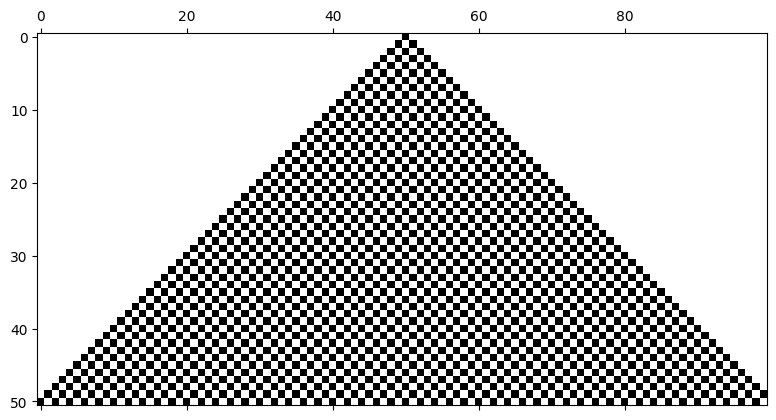
02-02 別のルールを実装してみよう
ルール0(クラス1)
Solution to Exercise 1
すべての場合で0を返せば良い.
# 02-02a. ルール0
def rule0(cell1, cell2, cell3):
    if cell1 == 0:
        if cell2 == 0:
            if cell3 == 0:
                return 0
            elif cell3 == 1:
                return 0
        elif cell2 == 1:
            if cell3 == 0:
                return 0
            elif cell3 == 1:
                return 0
    elif cell1 == 1:
        if cell2 == 0:
            if cell3 == 0:
                return 0
            elif cell3 == 1:
                return 0
        elif cell2 == 1:
            if cell3 == 0:
                return 0
            elif cell3 == 1:
return 0rule0を使って同様にシミュレーションしてみよう.
num_cell = 100
steps = 50

cell_list = []
cell = np.zeros(num_cell, dtype=int)

cell[int(num_cell / 2)] = 1
cell_list.append(cell)
for t in range(steps):
    # -- 状態遷移 --
    cell_tmp = np.ones(num_cell, dtype=int)
    # 境界条件処理その1
    cell_tmp[0] = rule0(cell[num_cell - 1], cell[0], cell[1])
    # メイン
    for i in range(1, num_cell - 1, 1):
        cell_tmp[i] = rule0(cell[i - 1], cell[i], cell[i + 1])
    # 境界条件処理その2
    cell_tmp[num_cell - 1] = rule0(cell[num_cell - 2], cell[num_cell - 1], cell[0])

    # 情報の更新
    cell = np.copy(cell_tmp)
    cell_list.append(cell)

plt.figure(dpi=300)
plt.matshow(cell_list[:], cmap="binary")
<Figure size 1920x1440 with 0 Axes>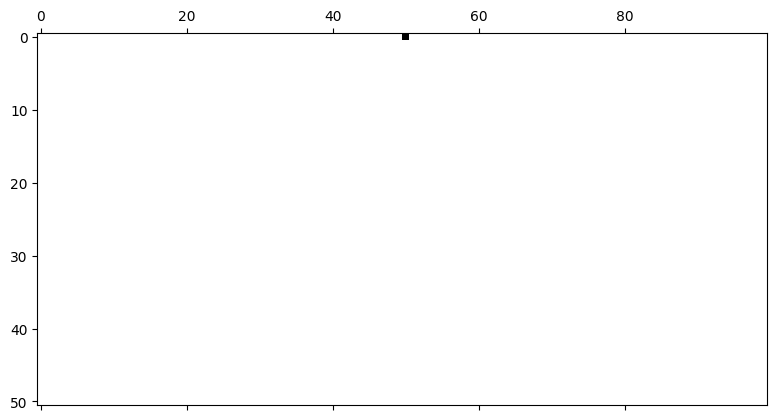
(初期状態の一行目を除いて)常にすべて白となる.
様々なルールへ対応する
Solution to Exercise 2
まず任意のルールに対応できる関数を定義する.
2状態1次元1近傍セルオートマトンのルール総数はあり, セルの状態がからを2進数の8桁にそれぞれ対応させ,各桁の値を遷移後の状態とする.
# 任意のルールに対応できる関数
def rule(rule_num, cell1, cell2, cell3):
    rule_list = []
    mod = rule_num
    for i in range(8):
        k = 7-i
        q, mod = divmod(mod,2**k)
        rule_list.append(q)

    idx = 4*cell1+2*cell2+cell3
    cell2_new = rule_list[7-idx]

    return cell2_new
divmode(p, q)はpをqで割ったときの,と余りを返す関数.
これを使ってルールのセット rule_list を作成する.
各要素はからまでの遷移ルールに対応する.
rule_numにルール番号を与えることで任意のルールに基づいた遷移が実行される.
rule()を使ってシミュレーションをする関数を定義する.
def run_ca(rule_num = 178, n_cells = 100, n_steps = 200):

    cell_list = []
    cell = np.ones(n_cells,dtype=int)

    cell[int(n_cells/2)] = 0
    cell_list.append(cell)
    for t in range(n_steps):
        # -- 状態遷移 --
        cell_tmp = np.ones(n_cells,dtype=int)
        # 境界条件処理その1
        cell_tmp[0] = rule(rule_num, cell[n_cells-1],cell[0],cell[1])
        # メイン
        for i in range(1,n_cells-1,1):
            cell_tmp[i] = rule(rule_num, cell[i-1],cell[i],cell[i+1]);
        # 境界条件処理その2
        cell_tmp[n_cells-1] = rule(rule_num, cell[n_cells-2],cell[n_cells-1],cell[0]);

        # 情報の更新
        cell = np.copy(cell_tmp)

        cell_list.append(cell)

    return cell_list
これを使ったルール0を実行する.
cell_list = run_ca(rule_num = 0, n_cells = 100, n_steps = 50)

plt.figure(dpi=300)
plt.matshow(cell_list[:], cmap="binary")
<Figure size 1920x1440 with 0 Axes>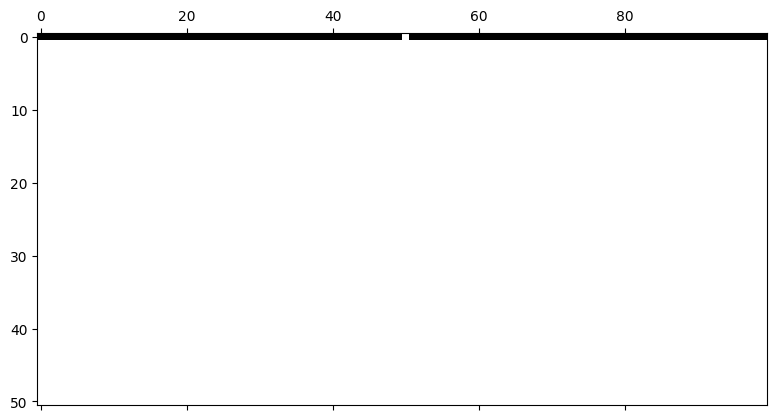
Solution to Exercise 3
ルール90(クラス2)
# 02-02a. ルール90
cell_list = run_ca(rule_num = 90, n_cells = 200, n_steps = 100)

plt.figure(dpi=300)
plt.matshow(cell_list[:], cmap="binary")
<Figure size 1920x1440 with 0 Axes>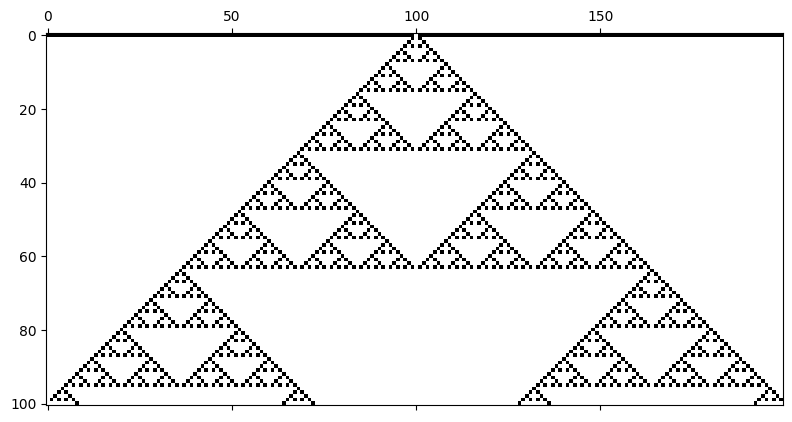
ルール30(クラス3)
# 02-02c. ルール30
cell_list = run_ca(rule_num = 30, n_cells = 200, n_steps = 100)

plt.figure(dpi=300)
plt.matshow(cell_list[:], cmap="binary")
<Figure size 1920x1440 with 0 Axes>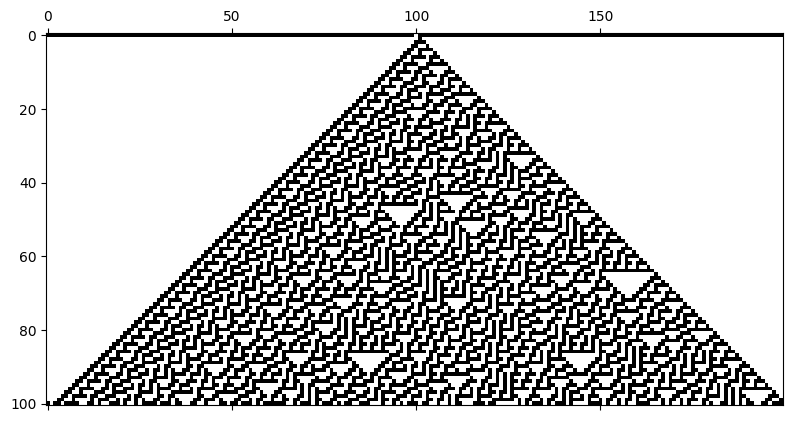
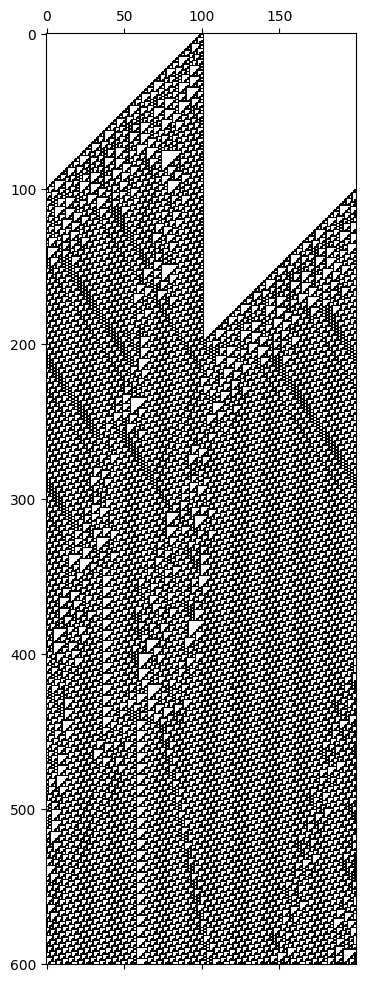
ルール110(クラス4)
# 02-01-01. ルール178
cell_list = run_ca(rule_num = 110, n_cells = 200, n_steps = 600)

plt.figure(dpi=300)
plt.matshow(cell_list[:], cmap="binary")
<Figure size 1920x1440 with 0 Axes>